How to Protect Your Website from Malware Attacks
Tags
How to Protect Your Website from Malware Attacks
Malware Attacks in today’s online world, your website is one of your most precious assets. Whether you own a business website, blog, or e-commerce website, it is very important to keep it safe. One of the most common threats that website owners face is malware attacks. Malware can steal your data, slow down your website, harm your reputation, and even get your website blacklisted by search engines such as Google. The best part is that with the right measures, you can easily keep your website safe from malware attacks. This guide will walk you through some simple and effective ways to keep your website safe, even if you are not a technical person.
- What Is Malware?
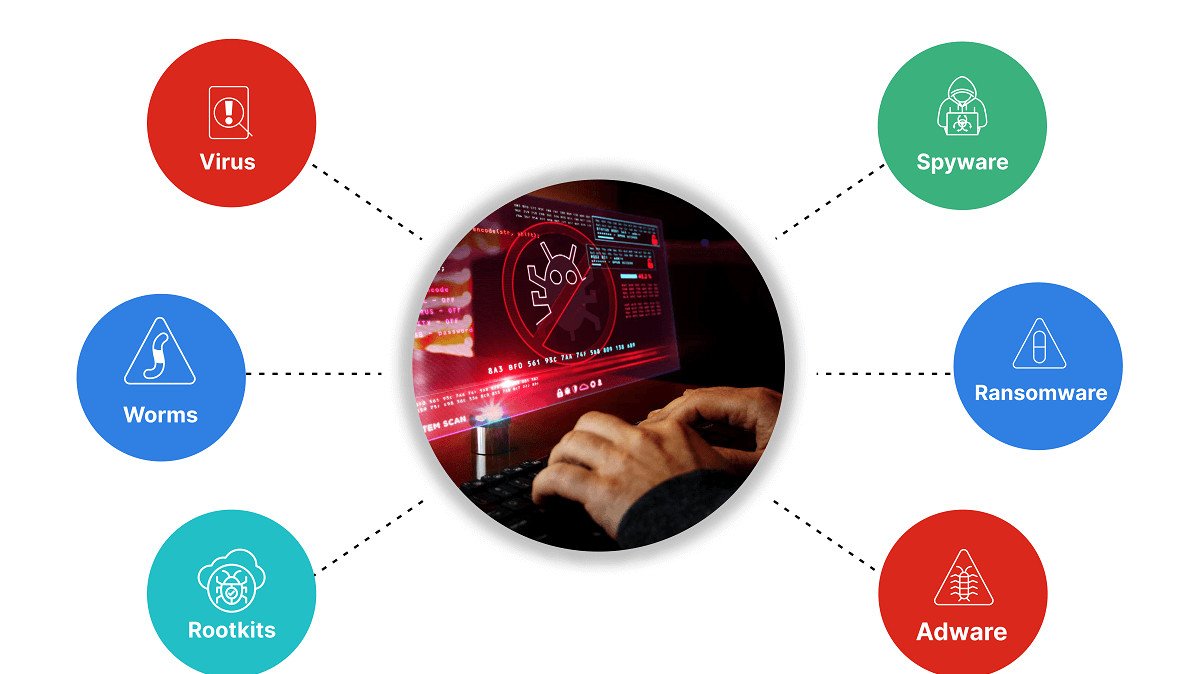
Malware is short for malicious software. It is designed to harm your website, steal sensitive information, or gain unauthorized access. Some common types of malware include: Viruses Trojans Ransomware Spyware Backdoors Hackers use malware to attack websites with weak passwords, outdated software, or hosting sites that are insecure. Why Website Malware Protection Is Important Malware attacks can lead to severe issues such as: Website downtime Loss of customer trust Data theft SEO ranking drops Google warning messages Financial loss It is not a choice to protect your website; it is a necessity.
- . Select a Secure Web Hosting Service
The security of your website begins with your web hosting service. A
1. Firewall protection
2.Malware scanning
3. Regular backups
4. Secure servers
- Update Your Website’s Software
Outdated software is one of the most common causes of website hacking.
Make sure to always update:
1.Content Management System (CMS) such as WordPress
2. Themes and plugins
3. Server software
- Use Strong Passwords and Secure Logins
Using weak passwords is an easy way for hackers to break into your website. Always use:
1.Long passwords
2.Mix of letters, numbers, and special characters
3.Different passwords for different accounts
- Additionally:-
1.Change your passwords often
2.Set up limited login attempts
3.Use two-factor authentication (2FA)
- Install an SSL Certificate (HTTPS)
An SSL certificate secures data passed between your website and visitors. Using HTTPS on your website is more secure and trusted by visitors.
Advantages of Using SSL:
1.Secures visitor data
2.Enhances SEO ranking
3.Increases trust
4.Secures data from interception
- Use a Website Firewall
A website firewall protects your website from malicious traffic before it reaches your website. It safeguards against:
- Malware injections
- DDoS attacks
- Brute-force login attacks
- Install Malware Scanning and Security Tools
Malware scanning and security tools scan your website for malware. They are useful in scanning for problems early before they cause serious harm to your website.
Good security tools should be able to:
1. Scan for suspicious activity
2.Scan files for malware
3.Notify you of security threats
4.Block malicious IP addresses
- Take Regular Website Backups
Even with the best security, no website is completely secure. This is why backups are important.
Ensure that:
1. Backups are automatic
2. Backups are stored in a safe location
3. Backups are updated frequently
- Limit User Access and Permissions
Not everyone needs full access to your website.
Best practices:
- Give users only the permissions they need
- Remove unused accounts
- Review access regularly
- Secure File Uploads
Hackers often upload malicious files through contact forms or upload features.
To prevent this:
- Allow only required file types
- Limit file sizes
- Scan uploaded files
- Disable unnecessary upload options
- Monitor Your Website Regularly
Don’t wait for problems to appear. Regular monitoring helps you catch issues early.
Monitor:
- Website speed
- Unusual traffic spikes
- Unauthorized file changes
- Security alerts
Conclusion : -
Protecting your website from malware is essential to maintain security, user trust, and search engine rankings. Regular software updates, strong passwords, secure hosting, backups, and security monitoring reduce risks. Taking preventive steps today helps avoid data loss, downtime, financial damage, and reputation harm in the future for your business growth.